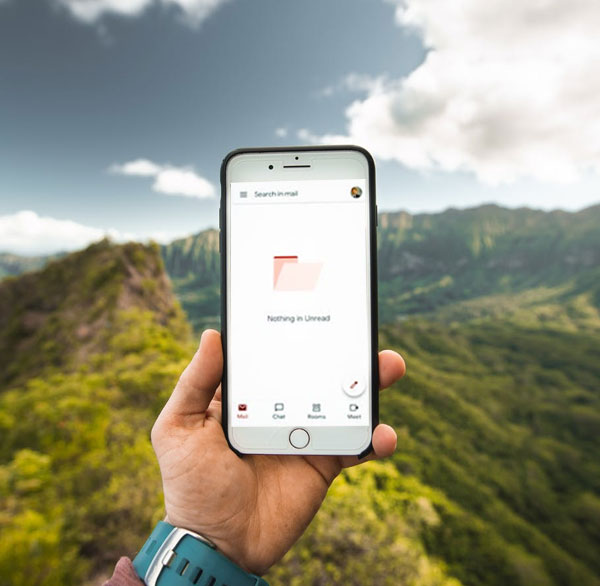
10 ways you can get to "Inbox Zero"
Yes. I’ve acheived Inbox Zero. More than once!
If you feel like you’ve fallen behind and want to regain a sense of control, organising your incoming and outgoing emails is a great place to start. Which is why Inbox Zero is still as relevant today as when it first appeared.
In recent years, our inboxes have never been busier. From automated notifications and AI-generated marketing emails to delivery updates, verification requests and reply-all chains, the volume keeps growing – and our day-to-day schedules struggle to keep up.
Inbox Zero hit the scene at a Google Tech Talk by Merlin Mann in 2007. He explained that the zero doesn’t represent the number of emails in your inbox, but the amount of time you spend consumed by or thinking about your inbox.
This is a powerful mindset shift — and one that’s even more important in 2026, when email feels harder to escape than ever. Here are 10 tips to help you build a system that works for you.
Optimizing Your Inbox
Block Spam
The first thing you can do is stop wasting time on emails that have no business being there. Here’s an article explaining how to stop getting spam emails with a variety of email providers. It’s also worth understanding the latest scammer tactics – in 2026, AI-generated phishing emails are increasingly convincing, with no spelling mistakes and convincing sender names. Never reply to spam emails.
Tag Your Emails
The emails you get the most often aren’t necessarily the most urgent. Perhaps an upcoming family reunion event has an email chain that resurfaces constantly from eager aunts and cousins across the country. Create a series of categories and label your emails with tags you can filter, or get them to automatically move to a smart folder. That way you can easily search and prioritize emails. Here are a few categories to get you started:
- Work
- School
- Finances
- Personal
- Events
- Receipts
Unite Your Email Accounts
If you’re switching back and forth between your work email and your personal email, that might help you separate your personal life from your job. But can also get tedious. You may be forwarding content just to have it easier to quickly reference and that’s not necessary.
Use an email client to unify your inbox. This way you can check all of your emails in one application. Examples of email clients include Mailbird, Outlook, and Thunderbird. They generally take all email providers who have IMAP or POP3 access enabled.
Clean Up Your Contacts
Depending on how long you’ve had your email address, there’s a good chance your address book has several different emails for each contact. This results in unanswered requests, bounced emails (further cluttering your inbox), and miscommunication galore.
In fact, having a lot of your emails bounce can signal that you’re sending unwanted emails and get you blocked. To avoid deliverability issues this is especially important.
If your list is long and this seems like it will be super time consuming, you can get emails verified, which will weed out inactive email addresses for you.
Review Your Subscriptions
You might be getting a lot of newsletters or promotional emails these days. If you find that they’re too frequent, you can obviously just unsubscribe. But perhaps some of the time their emails are really beneficial to you and you’d like to stay in touch.
Check to see if they have options for which emails you receive and limit the amount of messages for the future. The latest trend is to allow consumers to choose how frequently they get emails (daily, weekly, monthly).
Forming Habits
Dedicate Time
Choose specific times when you will read and respond to emails and stick to those hours. It may not be only once a day, it might be beneficial to start and end your day with your inbox. Find a rhythm that works for you and avoid jumping in and out of your inbox during non-scheduled hours at all costs. If you’re busy launching a new site, this will free up time for you to really focus on other parts of your checklist.
Stop Emailing From Your Phone
Turn off notifications on your phone. If you have a dedicated time for when you’re responding to emails, then receiving notifications via mobile is just interrupting time you should be spending on something else.
Change the Channel
There might be some emails that would work better for you as a different kind of incoming message. Communicate with the sender and see if there is a way to move the conversation to a different channel.
For example, maybe a specific report you receive at work can be shown during a meeting and then stored in a shared file, instead of emailed to you each week.
Another example might be moving a complex issue into a tool like Slack, Microsoft Teams or a shared Notion page — somewhere the conversation can live and be searched later, rather than getting buried in a thread. Here’s a good overview of social media and messaging management tools if you want to explore your options.
Be mindful that your solution doesn’t create more work but rather helps things be more asynchronous.
Save Time with Templates
If you find that you’re reusing the same words often, save statements into templates that you can easily insert into your work. Over time you will have a library of templates that will shorten the time you spend crafting an email and stressing over dotting the i’s and crossing the t’s on something you’re familiar with.
Use AI to Triage Your Inbox
One of the most significant changes since this article was first written is the arrival of genuinely useful AI tools for email. In 2026, you don’t have to sort, prioritise and draft everything manually.
Tools worth knowing about:
- Gmail’s Gemini AI — summarises long email threads and suggests replies, built directly into Google Workspace
- SaneBox — automatically moves low-priority emails out of your inbox into folders for later, learning your habits over time
- Superhuman — a premium email client with AI triage, keyboard shortcuts and read-status tracking, built for people who live in their inbox
- Copilot in Outlook — if you use Microsoft 365, Copilot can draft replies, summarise threads and flag what needs action
The key is to use these tools to reduce the decisions you make, not to avoid your inbox entirely. Inbox Zero is still the goal – AI just helps you get there faster.
Learn the PomoDoro Technique
The Pomodoro Technique is a productivity strategy that lets you work in short sprints and then take a break. If you look at your inbox as a single task to fulfill during one of these sprints, it will help you to compartmentalize your life and stay out of your inbox for longer periods of time.
Prioritise Yourself
By and large, digital burnout is serious and can have a serious impact on your health, your business, and your personal life.Whether you fulfill all ten of these steps or just act on a few, remember that you are doing this to fight against the new phenomenon of “notification anxiety” and support your wellbeing.
We hope that these steps give you a solid foundation to start feeling at ease and productive. If Inbox Zero doesn’t work for you, remember that it is just one concept amongst a sea of time management concepts. Focus on finding a workflow that gives you the time and space to focus on your needs.
I got to a completely empty inbox at 11:40 pm on the 10th of February, and the day before had an offer for a guest blog post on the topic by Carla Andre-Brown from Mailbird. I accepted the offer – and concentrated regardless on emptying my inbox.
I had a plan to write an updated article to follow my last one, which is here and I have updated this to include AI tools and the latest email productivity advice.
Bio:
Carla Andre-Brown is a content marketer for Mailbird. She promotes having a healthy relationship with our jobs and our inboxes. When she’s not working on content, she’s teaching digital marketing at BCIT.